
Have you ever seen your application crash with a terrifying error stating that remaining connection slots are reserved? In high-traffic applications, few errors cause more panic than database connection exhaustion.
When user traffic spikes, your web servers spin up additional processes to handle the load. Each web process immediately requests a dedicated connection to your relational database.
Before you know it, your database hits its connection limit, memory usage skyrockets, and healthy queries stall behind a wall of connection timeouts.
The good news is that you do not need to upgrade to a massive, expensive database instance to fix this. By implementing database connection pooling with PgBouncer, you can support thousands of concurrent users with a compact pool of database connections.
In this beginner-friendly architectural guide, we explain what database connection pooling is, why PostgreSQL struggles with too many connections, and how PgBouncer solves this bottleneck.
Executive Summary
- The Problem: Opening a direct database connection in PostgreSQL forks an operating system process that consumes 10 to 20 megabytes of RAM.
- The Scalability Trap: Allowing hundreds of web workers to maintain persistent direct connections exhausts database memory and causes severe CPU context switching.
- The Connection Pooling Fix: A connection pooler acts as a smart queue, allowing thousands of application requests to share a small set of persistent database connections.
- PgBouncer in Action: PgBouncer is a lightweight, battle-tested connection proxy for PostgreSQL that reduces connection overhead to near zero.
- Transaction Pooling Advantage: By borrowing a connection only for the duration of a transaction, PgBouncer multiplies your concurrent database capacity tenfold.
Table of Contents
- [Executive Summary](#executive-summary)
- [Direct Connection Model vs Pooled Connection Model](#direct-connection-model-vs-pooled-connection-model)
- [The Physics of a PostgreSQL Connection](#the-physics-of-a-postgresql-connection)
- [Why More Connections Actually Slow Down Your Database](#why-more-connections-actually-slow-down-your-database)
- [How Database Connection Pooling Works in Plain English](#how-database-connection-pooling-works-in-plain-english)
- [The Three PgBouncer Pooling Modes Explained](#the-three-pgbouncer-pooling-modes-explained)
- [When Does Your Application Need PgBouncer?](#when-does-your-application-need-pgbouncer)
- [Architectural Blueprint: Placing PgBouncer in Your Stack](#architectural-blueprint-placing-pgbouncer-in-your-stack)
- [Frequently Asked Questions](#frequently-asked-questions)
- [Related Guides & Next Steps](#related-guides-and-next-steps)
- [Primary Sources & References](#primary-sources-and-references)
Direct Connection Model vs Pooled Connection Model
| Architecture Dimension | Direct Database Connections | Pooled Connections with PgBouncer | Engineering Impact |
|---|---|---|---|
| Memory per Client | 10 to 20 MB of server RAM | ~2 KB per client connection | Saves gigabytes of database memory. |
| Connection Handshake | 50 to 100 ms (TCP + TLS + Auth) | Instant (reuses warm connections) | Eliminates query startup latency. |
| Maximum Concurrent Clients | 100 to 300 before server instability | 10,000+ client connections | Scales throughput effortlessly under load. |
| CPU Utilization | High context-switching churn | Controlled, predictable core usage | Keeps CPU focused on executing queries. |
| Idle Connection Waste | Idle clients hold dedicated RAM | Idle clients consume zero DB slots | Eliminates resource hoarding by idle workers. |
The Physics of a PostgreSQL Connection
To understand why connection pooling is necessary, you must understand how PostgreSQL handles incoming client requests. Unlike multi-threaded web servers, PostgreSQL uses a process-based concurrency model.
Every time your Node.js, Python, or Go backend opens a new connection to PostgreSQL, the database does not simply create a lightweight thread. Instead, PostgreSQL forks a completely new operating system process called a backend process.
Forking an operating system process requires significant resources. The operating system must allocate process control blocks, assign memory pages, and negotiate network handshakes.
In addition, PostgreSQL allocates dedicated working memory (work_mem) and transaction tracking buffers to each backend process. A single connection can easily consume 10 to 20 megabytes of memory before running its first query.
If your web application opens 300 concurrent connections, PostgreSQL immediately consumes 3 to 6 gigabytes of RAM purely to maintain those connection channels.
Why More Connections Actually Slow Down Your Database
Many engineers assume that setting max_connections = 1000 will allow their database to handle more traffic. In reality, increasing connection limits beyond your available hardware cores degrades performance.
A modern database server has a fixed number of physical CPU cores, typically between 4 and 64 cores. A CPU core can execute only one process at any given instant.
When 500 backend processes compete for 8 CPU cores, the operating system kernel spends most of its time swapping processes in and out of CPU registers. This phenomenon is known as context switching.
┌────────────────────────────────────────────────────────┐
│             THE CONNECTION SATURATION CLIFF            │
├────────────────────────────────────────────────────────┤
│ 50 Connections  ➔ Low Latency, High Throughput (Optimal)│
│ 150 Connections ➔ Latency Increases, Throughput Plateaus│
│ 500 Connections ➔ Massive Context Switching, Crash Risk │
└────────────────────────────────────────────────────────┘
Instead of executing SQL queries, CPU cycles are wasted managing process queues and resolving internal lock contention. As a result, query latency increases for every user across your platform.
How Database Connection Pooling Works in Plain English
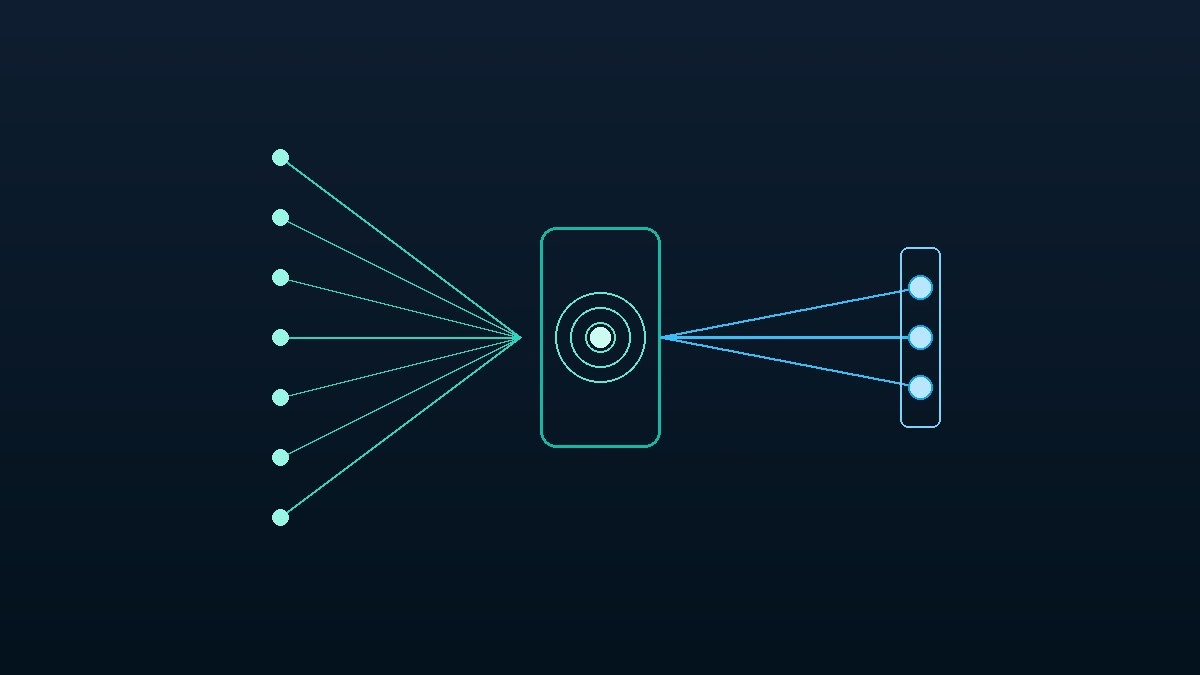
Database connection pooling solves this bottleneck by acting as an intermediary broker between your application servers and your database.
Think of connection pooling like the teller counter at a busy bank:
If a bank had 500 customers and assigned a dedicated personal teller to sit with every customer all day, the bank would go bankrupt paying for tellers. Most customers only need 30 seconds to deposit a check, spending the rest of their visit standing in line.
Instead, the bank employs five tellers behind a single counter. Customers wait in a neat queue. As soon as a teller finishes with one customer, the next customer steps forward.
┌─────────────┐       ┌────────────────────────┐       ┌───────────────┐
│ Application │ ----> │       PgBouncer        │ ----> │  PostgreSQL   │
│ Web Workers │       │   Connection Pooler    │       │ Database Core │
│ (1,000 Apps)│       │ (Holds 30 Warm DB Conns)│      │  (8 CPU Cores)│
└─────────────┘       └────────────────────────┘       └───────────────┘
A connection pooler works the exact same way. It maintains a small, warm pool of persistent connections to PostgreSQL (for example, 30 connections). When a web worker needs to run a query, it borrows a connection from the pool, runs the query, and returns the connection immediately.
To your application, it feels like an instant connection. To PostgreSQL, it only ever sees a stable, healthy set of 30 connections.
The Three PgBouncer Pooling Modes Explained
PgBouncer is the gold standard connection pooler for PostgreSQL. It is written in C, uses the asynchronous libevent library, and consumes only a few kilobytes of memory per client.
PgBouncer provides three distinct pooling modes, each designed for specific application requirements:
1. Session Pooling (Safest, Least Aggressive)
In session pooling, PgBouncer assigns a server connection to a client application when the client connects. The client keeps that connection until it explicitly disconnects.
This mode is a drop-in replacement for direct PostgreSQL connections. It supports all PostgreSQL features, including temporary tables and session-level variables, but offers limited concurrency gains.
2. Transaction Pooling (The Recommended Production Standard)
In transaction pooling, PgBouncer assigns a server connection to a client only for the duration of a single database transaction (BEGIN to COMMIT).
As soon as the transaction finishes, PgBouncer reclaims the connection and hands it to another waiting client. Because web applications spend 95 percent of their time processing HTTP logic rather than running active transactions, transaction pooling allows hundreds of web servers to share a tiny pool of database connections.
3. Statement Pooling (Most Aggressive, Read-Heavy)
In statement pooling, PgBouncer assigns a connection for a single SQL statement. Multi-statement transactions are strictly forbidden.
This mode is rarely used in typical web applications, but it is useful for analytical logging pipelines where independent INSERT statements are streamed continuously.
┌────────────────────────────────────────────────────────┐
│             PGBOUNCER POOLING MODES COMPARED           │
├────────────────────┬─────────────────┬─────────────────┤
│ Mode               │ Borrow Duration │ Reusability     │
├────────────────────┼─────────────────┼─────────────────┤
│ Session Pooling    │ Full connection │ 1 client at time│
│ Transaction Pooling│ Single txn only │ High throughput │
│ Statement Pooling  │ Single query    │ Maximum concurrency
└────────────────────┴─────────────────┴─────────────────┘
Tip: Converting Configuration Formats? If you are setting up PgBouncer configurations or translating database deployment manifests from JSON to YAML, try TeckScaler’s free client-side JSON to YAML Converter. It validates configurations locally in your browser without transmitting sensitive tokens.
When Does Your Application Need PgBouncer?
Not every application requires connection pooling on day one. You should consider deploying PgBouncer when your application encounters these specific triggers:
First, deploy PgBouncer when your application architecture uses Serverless Functions (like AWS Lambda, Vercel, or Google Cloud Functions). Serverless architectures spin up hundreds of ephemeral containers that quickly exhaust database connections.
Second, deploy PgBouncer when your relational database consumes more than 30 percent of its total RAM purely on idle client connections.
Third, deploy PgBouncer when user traffic surges cause intermittent 504 Gateway Timeout errors. As detailed in our guide on how to fix 504 gateway timeout errors in NGINX, upstream connection stalls are often caused by saturated database connection queues.
Finally, if you manage a high-concurrency production stack, follow our step-by-step tutorial on how to fix PostgreSQL too many connections with PgBouncer for production configuration recipes.
Architectural Blueprint: Placing PgBouncer in Your Stack
There are two common architectural patterns for deploying PgBouncer in your production infrastructure:
Pattern A: Colocated With PostgreSQL (Centralized Pooler)
In this pattern, PgBouncer runs on the same server instance as your PostgreSQL database or as a dedicated sidecar proxy. All web applications connect to PgBouncer on port 6432, and PgBouncer talks to PostgreSQL locally on port 5432 over a Unix domain socket.
This is the simplest architecture to maintain and provides centralized connection management across all microservices.
Pattern B: Colocated on Application Servers (Distributed Pooler)
In this pattern, a lightweight PgBouncer instance runs locally on each web application server. The web app connects to 127.0.0.1:6432, and the local PgBouncer maintains persistent TCP connections across the internal network to the database.
This pattern eliminates network latency on connection handshakes, making it ideal for large auto-scaling fleets.
┌────────────────────────────────────────────────────────┐
│             CENTRALIZED PGBOUNCER ARCHITECTURE         │
├────────────────────────────────────────────────────────┤
│ Web Application Instances (Port 6432)                  │
│       │               │               │                │
│       ▼               ▼               ▼                │
│ ┌────────────────────────────────────────────────────┐ │
│ │  Database Server (or Proxy Host)                   │ │
│ │  ├─ PgBouncer (Port 6432 - Manages 2,000 Clients)   │ │
│ │  │    │                                            │ │
│ │  │    ▼ (Unix Domain Socket)                       │ │
│ │  └─ PostgreSQL Core (Port 5432 - 30 Server Conns)  │ │
│ └────────────────────────────────────────────────────┘ │
└────────────────────────────────────────────────────────┘
Frequently Asked Questions
Does PgBouncer slow down individual database queries?
No. PgBouncer is written in C and adds less than 0.1 milliseconds of proxy latency. By keeping database CPU utilization low and eliminating context switching, PgBouncer typically makes overall query execution significantly faster.
Can I use prepared statements with PgBouncer transaction pooling?
Historically, prepared statements were tied to session state and failed in transaction pooling mode. However, PgBouncer version 1.21 and newer introduced protocol-level prepared statement support, allowing modern ORMs like Prisma, Drizzle, and Hibernate to use prepared statements safely.
What is the ideal pool size for PostgreSQL?
The ideal formula for PostgreSQL pool size is (CPU cores * 2) + effective_spindle_count. For an 8-core database server with fast SSD storage, a pool size between 20 and 30 connections usually yields peak query throughput.
Can application-level connection poolers replace PgBouncer?
Application poolers (like HikariCP for Java or Prisma poolers) help manage connections within a single application process. However, when you run 20 web servers or serverless functions, each server maintains its own pool, still overwhelming PostgreSQL. PgBouncer provides a centralized gateway that protects the database across all servers.
Related Guides & Next Steps
We hope this foundational guide helped you understand database connection pooling and how PgBouncer scales relational databases.
Authored by the TeckScaler Editorial Engineering Team, this article is part of our high-performance systems architecture series.
You might also want to check out these related guides from our cloud infrastructure cluster:
- Scaling High-Traffic Web Apps: Architecture Blueprint: Master guide on stateless horizontal scaling, connection pooling, and zero-downtime releases.
- Fix PostgreSQL ‘Too Many Connections’ with PgBouncer: Practical step-by-step tutorial with production configuration files and systemd service scripts.
- How to Fix 504 Gateway Timeout Errors in NGINX: Diagnosing reverse proxy bottlenecks and upstream database lockups under high concurrency.
- Microservices vs Monoliths: A Practical Performance Guide: Real-world benchmarks comparing network latency, data consistency, and hosting costs.
If your organization is scaling high-traffic web platforms or modernizing database infrastructure, explore TeckScaler’s enterprise IT solutions or contact our systems team.