
Have you ever experienced an alert reporting `FATAL: remaining connection slots are reserved` on your PostgreSQL database? This error strikes during sudden traffic spikes, leaving your web applications unable to process transactions.
When developers first encounter this error, their instinct is to increase `max_connections` inside `postgresql.conf` from 100 to 500 or 1,000. However, doing so makes the problem worse.
Executive Summary
- The Dreaded Error: PostgreSQL returns ‘FATAL: remaining connection slots are reserved for non-replication superuser connections’ during traffic surges.
- Why Raising max_connections Fails: Each PostgreSQL backend process consumes up to 10MB of RAM; setting max_connections to 1,000 can easily crash your server.
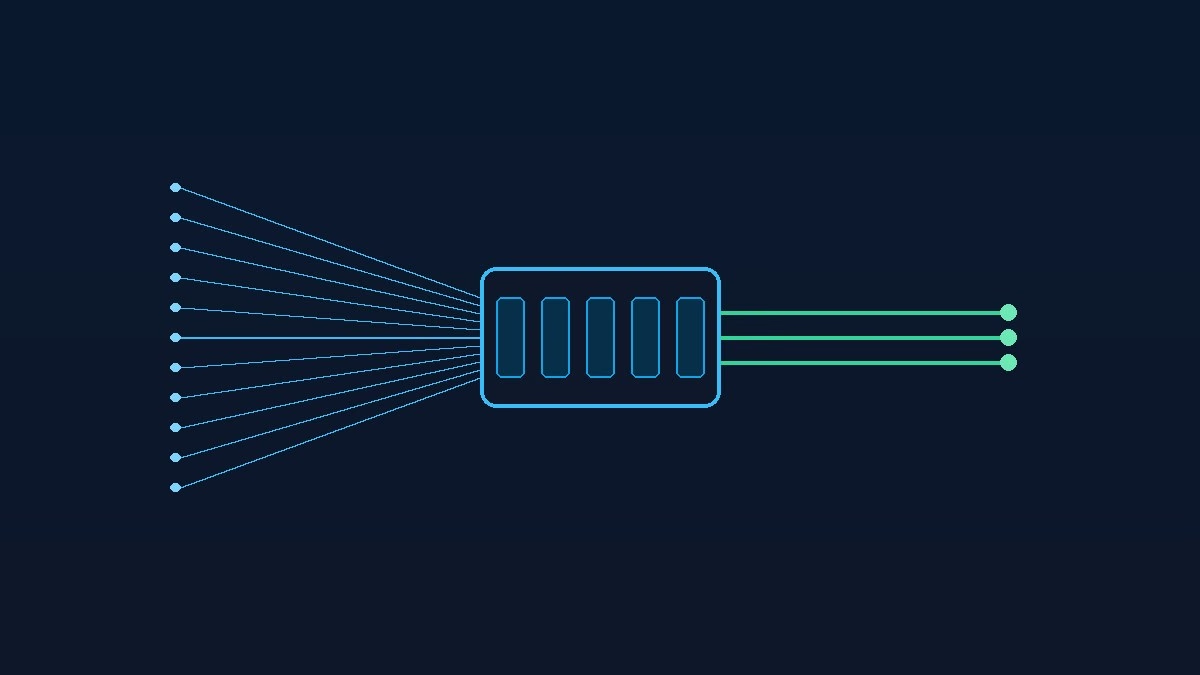
- Solution 1: PgBouncer Pooling: Install PgBouncer in transaction pooling mode to multiplex thousands of client connections across 50 database backends.
- Solution 2: Client Optimization: Audit microservice connection poolers and tune idle client connection timeouts across your application containers.
Table of Contents
- Executive Summary
- PgBouncer Pooling Modes: Session vs Transaction vs Statement
- Understanding the PostgreSQL Connection Crash
- Solution 1: Deploy PgBouncer in Transaction Pooling Mode (Recommended)
- Solution 2: Tuning Application Pool Sizes and Idle Timeouts
- Pro Tips for Monitoring Database Connection Health
- Frequently Asked Questions
- Related Guides & Next Steps
- Primary Sources & References
PgBouncer Pooling Modes: Session vs Transaction vs Statement
| Pooling Mode | Connection Reallocation | Prepared Statements | Best Use Case |
|---|---|---|---|
| Session Pooling | When client disconnects | Fully supported | Legacy apps with heavy session-level temp tables. |
| Transaction Pooling | When transaction completes (COMMIT/ROLLBACK) | Supported with prepared statement configs | Recommended: 95% of modern high-traffic web apps. |
| Statement Pooling | After every single SQL statement | Not supported (breaks multi-statement transactions) | Simple read-only microservice queries. |
Understanding the PostgreSQL Connection Crash
Have you ever experienced an alert reporting `FATAL: remaining connection slots are reserved` on your PostgreSQL database? This error strikes during sudden traffic spikes, leaving your web applications unable to process transactions.
When developers first encounter this error, their instinct is to increase `max_connections` inside `postgresql.conf` from 100 to 500 or 1,000. However, doing so makes the problem worse.
PostgreSQL uses a process-based connection model rather than lightweight threads. Each connection forks a separate backend worker process that consumes between 5MB and 10MB of RAM. Allowing too many connections causes memory thrashing, locking CPU cores in context switching.
Solution 1: Deploy PgBouncer in Transaction Pooling Mode (Recommended)
The industry-standard solution for PostgreSQL connection exhaustion is PgBouncer, a lightweight, high-performance connection pooler.
Step 1: Install PgBouncer on your database host or as a sidecar container in Kubernetes using `apt-get install pgbouncer` or the official container image.
Step 2: Configure `pgbouncer.ini` to connect to your PostgreSQL instance. Set `pool_mode = transaction`. In transaction pooling mode, PgBouncer assigns a server connection only for the duration of a transaction.
Step 3: Point your application database connection strings to PgBouncer port 6432 instead of PostgreSQL port 5432. Thousands of web clients can now connect to PgBouncer, which safely routes their queries through a small pool of 30 to 50 active database backends.
Solution 2: Tuning Application Pool Sizes and Idle Timeouts
Even with PgBouncer, poor application configuration can cause pool exhaustion if containers hold idle connections open unnecessarily.
Audit your web frameworks (such as Prisma, SQLAlchemy, or HikariCP). Ensure each container sets a conservative connection limit (e.g. 5 to 10 connections per container) rather than opening 50 connections on startup.
Configure `idle_in_transaction_session_timeout = ’30s’` inside PostgreSQL. This safeguard automatically terminates client sessions that open a transaction but fail to commit within 30 seconds, freeing locked resources for other queries.
Pro Tips for Monitoring Database Connection Health
To prevent connection issues before they cause downtime, set up automated monitoring on active versus idle database connections.
Query `pg_stat_activity` regularly using `SELECT state, count(*) FROM pg_stat_activity GROUP BY state;`. In a healthy system, the majority of connections should be idle in transaction pooling, with only a fraction actively executing queries.
Set up Prometheus alerts to notify your engineering team whenever active connections exceed 80% of your configured limit. This gives your team time to optimize slow queries before connections run dry.
Frequently Asked Questions
What is the recommended max_connections value for PostgreSQL without a pooler?
Most database architects recommend setting max_connections between 100 and 200. Beyond this threshold, CPU context switching degrades database throughput significantly.
Can I use prepared statements with PgBouncer transaction pooling?
Yes. Modern versions of PgBouncer support prepared statements when configured with max_prepared_statements in pgbouncer.ini.
How does PgBouncer improve database memory usage?
PgBouncer uses a single event loop to handle thousands of incoming client connections with minimal RAM, preventing PostgreSQL from spawning hundreds of memory-heavy backend processes.
Related Guides & Next Steps
We hope this guide helped you scale your infrastructure with confidence. Explore related tutorials from our cloud architecture cluster:
- Scaling High-Traffic Web Apps: Architecture Blueprint
- Set Up Zero-Downtime Blue-Green Deployments: Full Guide
- Implement API Rate Limiting with Redis & Token Buckets
Primary Sources & References
Written by the TeckScaler Cloud & Systems Engineering Team. We design and build ultra-reliable cloud architectures, custom web platforms, and automated deployment pipelines for growing teams.