
Pixel-Tuned Cyberpunk.
Engineered for Dark Workstations.
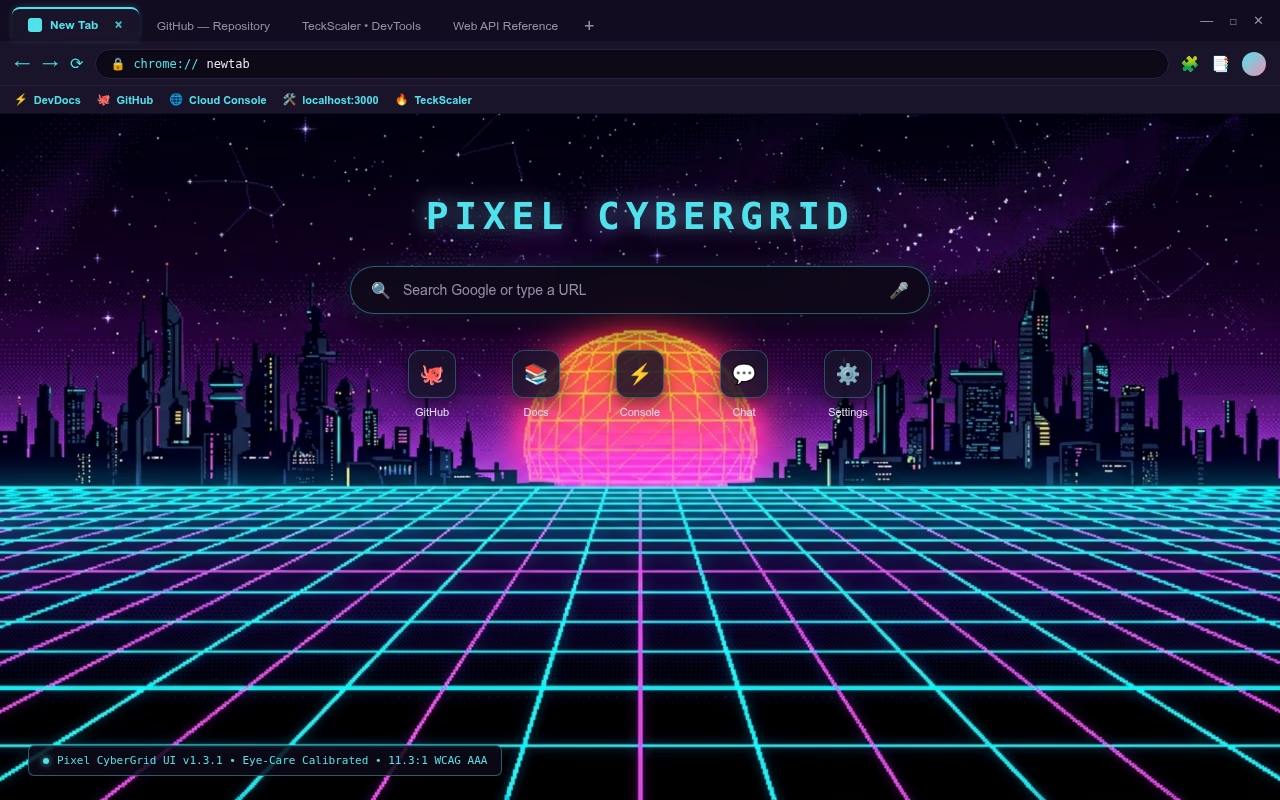
Calibrated soft cyan active tabs and matching navigation icons eliminate blinding glare in dark rooms. Features soft lavender background tabs, a 1080p retro grid wallpaper, dedicated incognito styling, and zero memory overhead.
Engineered for Eye Comfort & Code Flow
Pure Chromium architecture built to eliminate eye fatigue during long screen sessions.
No Laser Glare (11.3:1)
Softened electric cyan replaces 100% saturated neon, eliminating harsh blue-spike glare in dark rooms while comfortably exceeding WCAG AAA standards.
Effortless Tab Scannability
Muted lavender-slate background tabs deliver a 6.1:1 contrast ratio. You can scan inactive tabs instantly without squinting or straining.
Deterministic Window Dimming
Drops frame luminance by 47.5% when your browser window loses focus. On multi-monitor developer desks, active windows stand out clearly.
Zero Memory Overhead
Pure visual browser skin. Operates with zero background scripts, zero webpage code injection, and zero network calls. It cannot slow down your workflow.
Accessibility Contrast Verification
Calculated using WCAG 2.1 relative luminance standards to guarantee clarity across all lighting environments.
How to Apply Pixel CyberGrid UI
Three simple steps to load the theme package into any Chromium browser.
chrome://extensions. Toggle the Developer mode switch in the upper-right corner.Frequently Asked Questions
How does this theme prevent eye strain and visual discomfort?
Which browsers support Pixel CyberGrid UI?
Does this theme collect any user data or telemetry?
How do I return to default browser colors?
chrome://settings/appearance in your address bar and click Reset to default.Need Custom Chrome Extensions or Web Software?
TeckScaler builds scalable custom web applications, developer tooling, and enterprise Chrome extensions. Discuss your project requirements with our engineering team.
Contact Engineering Team →