
Is your AI chatbot giving confident, completely wrong answers even though you uploaded the exact PDF handbook?
Watching a RAG app invent fake refund policies or mix up product specs in front of real users is stressful. As outlined in our production RAG architecture guide, hallucinations happen for two clear reasons: your search pulled the wrong paragraphs, or your prompt failed to stop guessing.
The good news is that you can diagnose and stop these errors in minutes without changing your base AI model. In this troubleshooting guide, we will walk you through quick prompt and score fixes (Method 1) as well as deeper chunking and parser repairs (Method 2).
Executive Summary
- Separate Search vs Model Failures: First check the exact chunks retrieved by your database before blaming the language model.
- Score Thresholds Stop Noise: Dropping low-confidence vector matches stops irrelevant text from distracting the AI.
- Fix Broken Chunk Boundaries: Adding section headers and table-aware parsing rescues lost facts inside complex PDFs.
- Strict Refusal Prompts: Tell the model explicitly to answer “Information not found” when context is missing using the TeckScaler Prompt Optimizer.
Table of Contents
- Executive Summary
- Diagnosing RAG Failures by Symptom
- Method 1: Quick Prompt and Score Threshold Fixes (Recommended)
- Method 2: Repairing Chunking and PDF Extraction Bugs
- Common Troubleshooting Questions & How to Fix Them
- Frequently Asked Questions
- Final Thoughts & Next Steps
- Primary Sources & References
Diagnosing RAG Failures by Symptom
| Observed Symptom | True Root Cause | Quick Diagnostic Check | Primary Engineering Fix |
|---|---|---|---|
| Model invents answers on missing topics | Weak system prompt fallback rules | Inspect retrieved chunks for answer | Add strict |
| Wrong numbers read from pricing PDFs | Naive text splitter shattered tables | Print raw extracted table text | Use layout-aware Markdown extraction for tables. |
| Opposite policy returned (“Allowed” vs “Banned”) | Dense vector antonym confusion | Check cosine score of wrong chunk | Add BM25 hybrid search and cross-encoder re-ranker. |
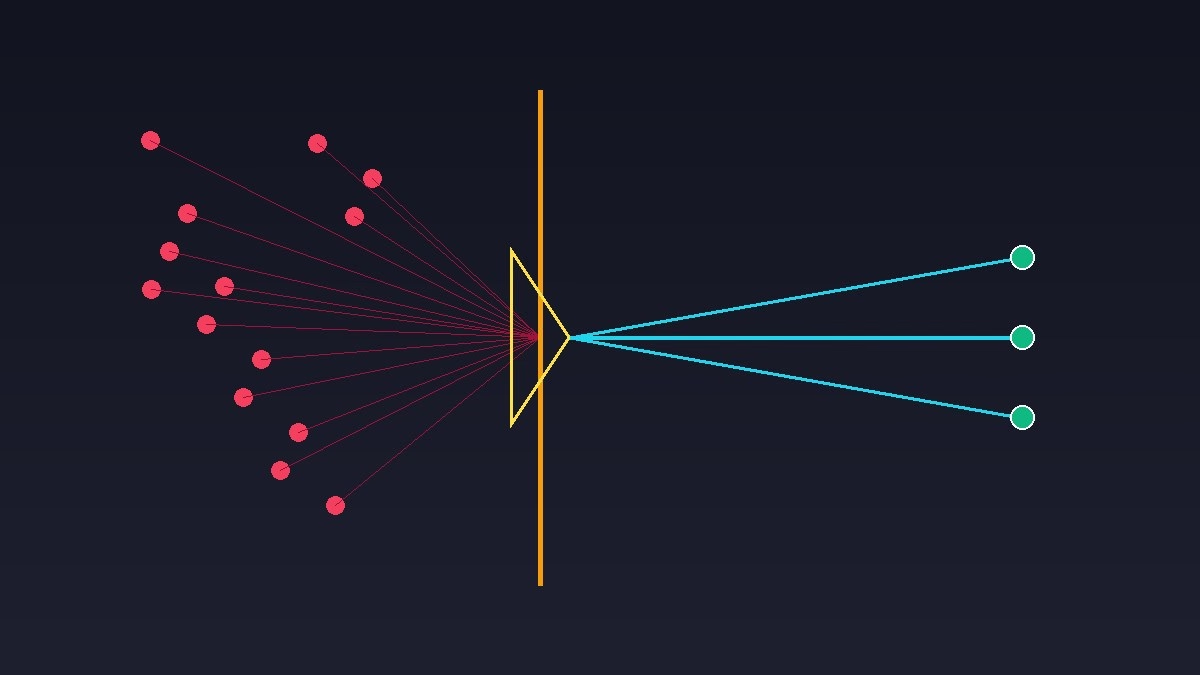
| Model ignores correct chunk sitting at position 8 | “Lost in the Middle” context dilution | Count total chunks sent to prompt | Re-rank top 30 down to 5 highest-scoring chunks. |
Method 1: Quick Prompt and Score Threshold Fixes (Recommended)
When production errors occur, start with configuration fixes you can deploy in ten minutes without re-indexing your entire database.
Step 1: Print the Exact Retrieved Chunks First
First, log the top chunks returned by your vector database before they reach the LLM. Never guess whether the bug sits in retrieval or generation until you read the raw fetched text.
# Always log retrieved scores and IDs in debugging mode
for idx, match in enumerate(retrieved_chunks):
    print(f"[{idx+1}] Score: {match.score:.3f} | Source: {match.metadata['file']}")
    print(match.text[:200], "
---")
Step 2: Enforce a Minimum Similarity Cutoff
Next, drop chunks falling below a minimum relevance score (for example, cosine similarity under 0.35 or low cross-encoder logits). Sending random chunks for unrelated user questions tricks the AI into weaving nonsense together.
Step 3: Lock Down Your System Prompt With XML Tags
Finally, tighten your system prompt so the model treats retrieved text as its sole source of truth. You can use our free TeckScaler Prompt Optimizer to scaffold strict grounding rules fast, or paste this template directly:
<system_instructions>
Answer the user question ONLY using facts inside the <context> tags below.
If the <context> does not clearly state the answer, reply: "I cannot find that information in our documentation."
Never use outside knowledge or guess missing numbers. Cite the [Source ID] for every claim.
</system_instructions>
Pro Tip: Lower your model
temperaturesetting to0.0or0.1for support and documentation RAG tasks. High temperatures encourage creative guessing instead of faithful quoting.
Method 2: Repairing Chunking and PDF Extraction Bugs
If your logs show that the database never retrieved the right paragraph at all, the problem lies inside how you slice and index documents.
Step 1: Add Document and Heading Context to Every Chunk
First, stop indexing orphan paragraphs. If a chunk says “Fees increase to $50 after 30 days” without saying which plan it describes, vector search will pull it for the wrong product.
Prepend the file title and parent headings directly onto the chunk text before embedding it:
# Enrich chunk text with hierarchy before generating vectors
enriched_text = f"Document: {doc_title} | Section: {section_heading}

{chunk_body}"
vector = embedder.encode(enriched_text)
Step 2: Fix Split Sentences and Shattered Tables
Next, switch from blind character-count splits to recursive or Markdown-aware splitters. Keep a 10% to 15% overlap between slices, and keep tables intact in Markdown format (| Col | Col |) so numbers stay tied to row labels.
Step 3: Add BM25 Hybrid Search and Re-Ranking
Finally, fix exact keyword misses and negation flips by blending BM25 keyword scores with dense vector similarity. Read our full coding tutorial on how to build a hybrid RAG pipeline with Python and BM25 and check our analysis of why vector search fails in RAG.
For general JSON output crashes alongside retrieval bugs, also check our guide on how to fix AI hallucinations and format drift in production LLMs.
Common Troubleshooting Questions & How to Fix Them
Even after clean chunking, watch out for these three sneaky production issues:
- Error: Query mentions “last quarter” or “newest policy” and retrieves 2024 files. Vector search ignores dates inside prose. Store publication timestamps as metadata integers and apply a hard metadata filter (
year >= 2026) before searching. - Issue: Users type “it” or “that plan” in follow-up chat turns. Searching on the word “it” returns garbage chunks. Add a fast query-rewriting prompt step that turns follow-up questions into standalone queries before querying the database.
- Issue: Multi-page PDFs take minutes to parse and leave weird whitespace. Replace basic
pypdfextractors with layout-aware tools likepymupdf4llmor Docling to preserve clean reading order.
Frequently Asked Questions
What is the fastest way to stop RAG hallucinations right away?
Log your retrieved chunks to verify relevance, lower LLM temperature to 0.0, and enforce a strict system prompt requiring the model to say “Information not found” when answers are absent.
Why does sending 20 chunks make RAG answers worse instead of better?
Language models suffer from the “Lost in the Middle” effect, meaning they often overlook facts buried inside long context windows. Sending 5 clean, re-ranked chunks consistently beats sending 20 noisy ones.
How large should my document chunks be for technical docs?
Most technical documentation works best with chunk sizes between 300 and 500 tokens paired with a 50-token overlap. Always test 2 or 3 sizes against ten real user questions before finalizing.
Final Thoughts & Next Steps
We hope this troubleshooting guide helped you pinpoint and eliminate RAG hallucinations in your application.
Explore the rest of our RAG engineering cluster to harden every piece of your stack:
- Build better search from scratch: How to Build a Hybrid RAG Pipeline With Python and BM25.
- Upgrade your vector engine: 7 Best Vector Databases for RAG in 2026.
- Master the full blueprint: The Ultimate Guide to Building Production RAG Systems.
Facing stubborn accuracy issues in an enterprise AI product? Reach out to our AI engineering team at teckscaler.com/contact/ for a pipeline audit.
Published by the TeckScaler Editorial Team. Last updated November 25, 2026.