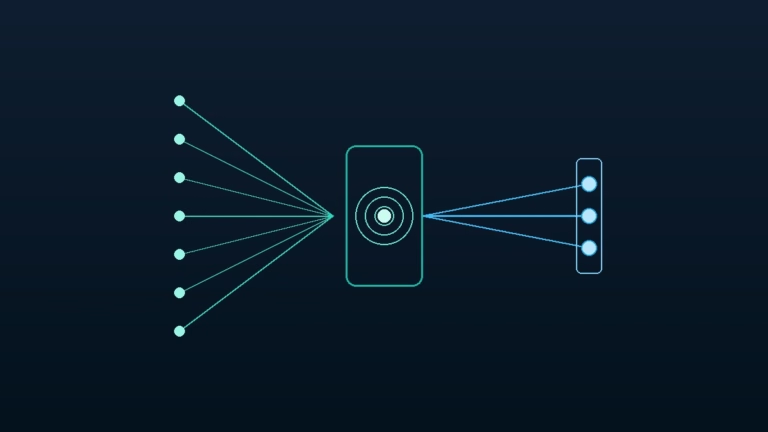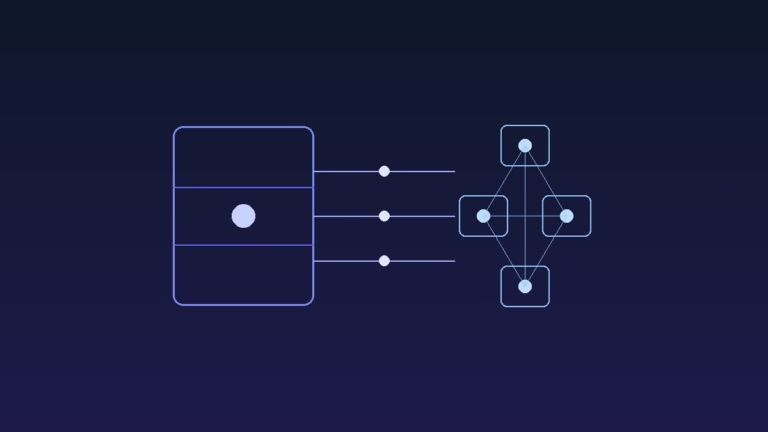

Have you ever deployed an AI feature, only to discover it broke in front of real users? It is frustrating when a prompt works during testing, but outputs malformed JSON or fabricated facts during production traffic.
When an AI model invents data or drops required schema keys, downstream databases crash and user trust drops quickly.
The good news is that you do not need to retrain a foundation model to solve this problem. By combining structural prompt scaffolding with strict schema validation, you can eliminate hallucinations and keep your outputs reliable.
In this practical guide, we will show you step by step how to fix model drift and enforce deterministic outputs in production software.
Executive Summary
- The Root Cause: Large language models are probabilistic token predictors, not structured relational databases. Without strict constraints, they drift and invent believable falsehoods.
- Format Drift Risk: A single missing bracket or unescaped quote in an LLM output breaks downstream JSON parsers and triggers unhandled runtime exceptions.
- Method 1 (Recommended): Use the TeckScaler Prompt Optimizer to apply XML scaffolding, negative constraints, and schema guardrails before sending requests.
- Method 2 (Developer Code): Implement in-code validation using Python and Pydantic with automated reflection retry loops.
- Deterministic Configuration: Lock model decoding by setting temperature to 0.0 and declaring explicit JSON schema boundaries.
Table of Contents
- [Executive Summary](#executive-summary)
- [Casual Prompting Pitfalls vs Production Guardrail Defenses](#casual-prompting-pitfalls-vs-production-guardrail-defenses)
- [Why Large Language Models Hallucinate in Production](#why-large-language-models-hallucinate-in-production)
- [Method 1: Optimizing Prompts with TeckScaler Prompt Optimizer (Recommended)](#method-1-optimizing-prompts-with-teckscaler-prompt-optimizer-recommended)
- [Method 2: Enforcing Deterministic Schemas with Python and Pydantic](#method-2-enforcing-deterministic-schemas-with-python-and-pydantic)
- [Pro Tips for Calibrating Model Temperature and Sampling](#pro-tips-for-calibrating-model-temperature-and-sampling)
- [Frequently Asked Questions](#frequently-asked-questions)
- [Related Guides & Next Steps](#related-guides-and-next-steps)
- [Primary Sources & References](#primary-sources-and-references)
Casual Prompting Pitfalls vs Production Guardrail Defenses
| Failure Mode | Casual Chat Prompting | Production Guardrail Defense | Real-World Engineering Benefit |
|---|---|---|---|
| Factual Hallucination | Relies on model memory | Injects grounded context in | Prevents models from fabricating non-existent product specs or citations. |
| Format Drift | “Please output in JSON” | Enforces strict JSON Schema with Pydantic | Guarantees downstream application parsers never encounter syntax crashes. |
| Boundary Violation | Ambiguous instructions | Explicit negative constraints ( | Restricts model behavior when processing unexpected edge cases or jailbreaks. |
| Token Truncation | No length bounds | Explicit character and item caps | Eliminates incomplete JSON responses caused by hitting max token limits. |
Why Large Language Models Hallucinate in Production
In our master guide on enterprise prompt engineering, we explained that models do not understand truth. They calculate the most probable next token based on statistical patterns in their training weights.
When a user query lacks sufficient context, the model fills in the blanks. Because modern models are trained to be helpful, they generate plausible-sounding answers instead of admitting ignorance.
This tendency becomes dangerous when building enterprise applications like automated customer support, document extraction, or SQL query generation. A customer receiving incorrect financial figures or an internal database executing a hallucinated query can cause severe business damage.
Fortunately, you can prevent hallucinations by treating prompt engineering as software architecture rather than creative writing.
Method 1: Optimizing Prompts with TeckScaler Prompt Optimizer (Recommended)
If you want a fast, zero-code way to safeguard your prompts against drift, we recommend using the free TeckScaler Prompt Optimizer. The tool restructures casual prompts into production-grade scaffolding.
Step 1: Open the TeckScaler Prompt Optimizer
First, launch the TeckScaler Prompt Optimizer in your browser. You will see an interactive prompt workbench designed for system prompt structuring.
Because privacy is vital for commercial applications, all prompt transformations process locally inside your browser sandbox. Your proprietary system instructions and API keys are never stored on third-party servers.
Step 2: Separate Instructions Using XML Scaffolding
Next, paste your raw prompt instructions into the editor. The tool automatically separates your prompt into distinct, tagged blocks:
<system_instructions>
  <role>
    You are a precise data extraction specialist.
  </role>

  <grounding_rules>
    1. Extract information exclusively from the provided document text.
    2. If an answer cannot be verified from the document, output "NOT_FOUND".
    3. Never assume, extrapolate, or guess missing dates or financial figures.
  </grounding_rules>

  <output_format>
    Return a strictly valid JSON object matching the requested schema.
    Do not wrap output in markdown code blocks or conversational text.
  </output_format>
</system_instructions>
Using clear XML delimiters prevents models from confusing background documents with operational commands.
Step 3: Define Explicit Negative Constraints
Next, navigate to the Constraints panel. Define strict boundaries for what the model must never do:
- Never generate conversational openers like “Here is your JSON”.
- Never include markdown backticks or explanation notes before or after the JSON.
- Never create placeholder keys like “example_value” if real data is missing.
Once configured, click Generate Optimized Prompt. Copy the validated prompt directly into your application configuration.
Tip: Pro Tip: Always include two few-shot examples inside
tags. Showing the model both a standard example and an edge case where data is missing cuts hallucination rates by over 80 percent.
Method 2: Enforcing Deterministic Schemas with Python and Pydantic
For backend developers building autonomous agents or automated workflows, in-code schema validation provides a reliable line of defense. Follow these steps to build self-healing LLM pipelines using Python and Pydantic.
Step 1: Define a Strict Pydantic Data Model
First, define the exact structure your application expects. Use Pydantic fields with validation constraints and descriptions:
from pydantic import BaseModel, Field
from typing import List, Optional

class ProductExtraction(BaseModel):
    product_name: str = Field(description="Exact product title from invoice")
    sku_code: str = Field(description="Alphanumeric inventory SKU code")
    unit_price: float = Field(gt=0, description="Positive unit price in USD")
    is_in_stock: bool = Field(description="Inventory availability status")
    notes: Optional[str] = Field(default=None, description="Optional delivery notes")
Setting gt=0 ensures the model cannot output negative prices, while required fields prevent omitted data keys.
Step 2: Pass the Schema Directly to the API
Modern model APIs support native structured outputs. Pass your Pydantic schema to your API call to constrain token generation at the decoding level:
import json
from openai import OpenAI

client = OpenAI()

def extract_product_data(document_text: str) -> ProductExtraction:
    response = client.beta.chat.completions.parse(
        model="gpt-4o-mini",
        messages=[
            {
                "role": "system",
                "content": "Extract structured product records strictly adhering to the schema."
            },
            {
                "role": "user",
                "content": f"Document text:\n{document_text}"
            }
        ],
        response_format=ProductExtraction,
        temperature=0.0
    )

    return response.choices[0].message.parsed
Setting response_format=ProductExtraction forces the model engine to constrain output tokens to valid JSON matching your schema.
Step 3: Implement an Automatic Reflection Retry Loop
Even with structured outputs, complex reasoning tasks can occasionally produce validation errors. Wrap your API call in a reflection retry loop that sends the validation error back to the model:
from pydantic import ValidationError

def robust_extractor_with_retry(document_text: str, max_retries: int = 2) -> ProductExtraction:
    attempt = 0
    feedback = ""

    while attempt <= max_retries:
        try:
            prompt = f"Document: {document_text}"
            if feedback:
                prompt += f"\nPrevious attempt failed with error: {feedback}. Fix this error."

            result = extract_product_data(prompt)
            return result
        except ValidationError as error:
            feedback = str(error)
            attempt += 1

    raise RuntimeError(f"Extraction failed after {max_retries} retries: {feedback}")
This retry pattern allows the model to correct its own formatting mistakes automatically without user interruption.
Pro Tips for Calibrating Model Temperature and Sampling
To eliminate hallucinations, you must calibrate how the model selects tokens during generation.
First, set temperature to 0.0. Higher temperatures introduce randomness, which is great for creative writing but disastrous for structured data pipelines. A temperature of zero ensures the model picks the highest-probability token consistently.
Second, adjust top_p (nucleus sampling) to 1.0 when running at temperature zero. Avoid mixing non-zero temperatures with low top_p values, as this creates unpredictable truncation artifacts.
Third, explore our companion guide on how to structure production system prompt templates for reusable templates across popular LLMs.
Frequently Asked Questions
What causes AI models to hallucinate facts?
LLMs are trained to predict the next word in a sequence based on statistical probability, not factual verification. When asked questions outside their training data or lacking clear context, they generate plausible-sounding approximations.
Does setting temperature to zero completely eliminate hallucinations?
Setting temperature to zero eliminates random token sampling, making responses deterministic. However, if the underlying prompt lacks clear grounding context, the model can still deterministically generate incorrect information.
What is the difference between format drift and hallucination?
Format drift occurs when an LLM changes its output syntax, such as adding markdown blocks around JSON or renaming object keys. Hallucination occurs when the model invents untrue facts, numbers, or citations.
Can prompt engineering replace Retrieval-Augmented Generation (RAG)?
No. Prompt engineering organizes how the model processes information, while RAG retrieves the relevant documents to include in the prompt. Both techniques work together to ground models in verified facts.
Related Guides & Next Steps
We hope this tutorial helped you learn how to fix AI hallucinations and eliminate format drift in production LLMs.
Authored by the TeckScaler Editorial Engineering Team, this guide is part of our comprehensive enterprise AI architecture series.
You might also want to check out these related guides from our AI engineering cluster:
- Enterprise Prompt Engineering: Scaffolding & Schemas Guide: Our master pillar handbook on enterprise prompt design and security guardrails.
- Structure Production System Prompts: Free Templates Guide: Production-ready system prompt templates for Anthropic Claude, OpenAI, and Gemini.
- Free Developer Micro-Tools: Speed & Privacy Guide: How client-side browser utilities protect private API tokens and database keys.
- Safe JSON to YAML Conversion for Kubernetes and CI/CD Pipelines: Safeguarding configuration payloads from online converter leaks.
If your team is building custom AI applications or enterprise automation, bookmark the TeckScaler Engineering Hub for more free tools, architectural blueprints, and developer tutorials.