
Linux software lists go stale fast. Search for an Ubuntu clipboard tool in 2026 and half the posts still push dead apps or broken GNOME extensions. Wayland changed the rules for desktop tools, so old advice breaks on modern installs.
Wayland blocks background apps from watching your live clipboard unless they hold window focus or talk through a compositor protocol. Tiling desktops like Sway expose wlr-data-control, while ext-data-control-v1 aims to bring one shared API across desktops. Stock GNOME omits wlr-data-control today. Here are the active Linux clipboard tools worth installing right now, plus two old favorites you should drop.
Executive Summary
- Best privacy-first text tool (Ubuntu & GNOME Wayland): ClipVault drops secrets across eight password tags out of the box, runs inside a strict Snap, and avoids dock flicker.
- Best scripted power tool: CopyQ supports images, custom tabs, and JavaScript actions across Linux, macOS, and Windows.
- Best GNOME Shell extension: Copyous replaces retired Pano with native cards, colored tags, and image previews.
- Best CLI pipe & encrypted GNOME option: Run cliphist on Sway or Hyprland with
rofi, or pick GPaste when optionallibsodiumencryption matters most.- Skip dead tools: Pass on Pano (no longer maintained) and Diodon (in low maintenance mode).
1. Six Active Linux Clipboard Tools Worth Using
1. ClipVault (Best for Privacy-Focused Ubuntu & GNOME Wayland Users)
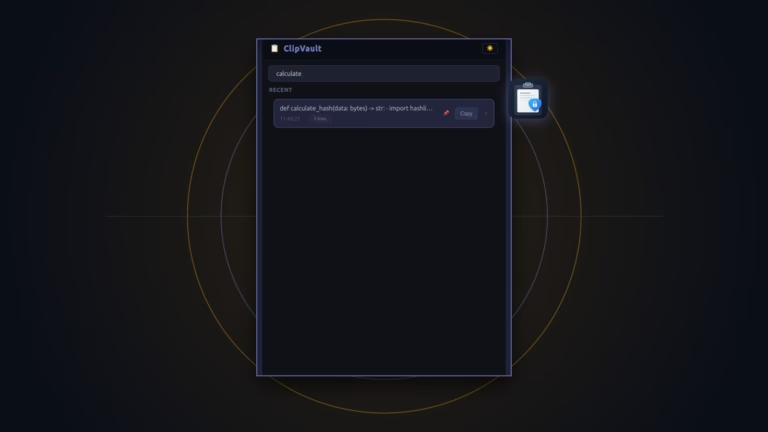
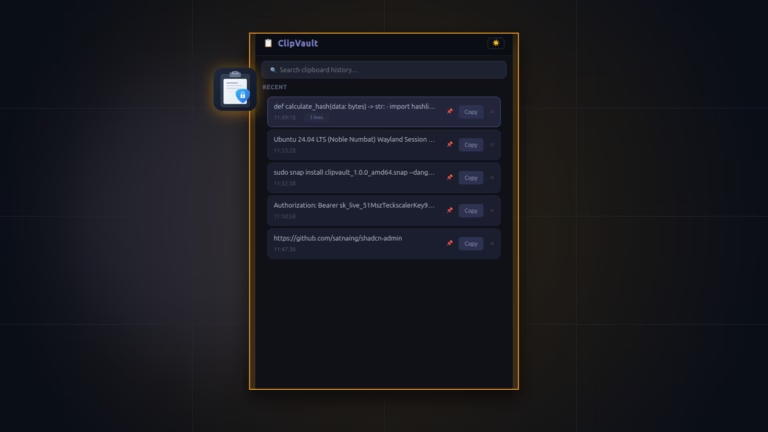
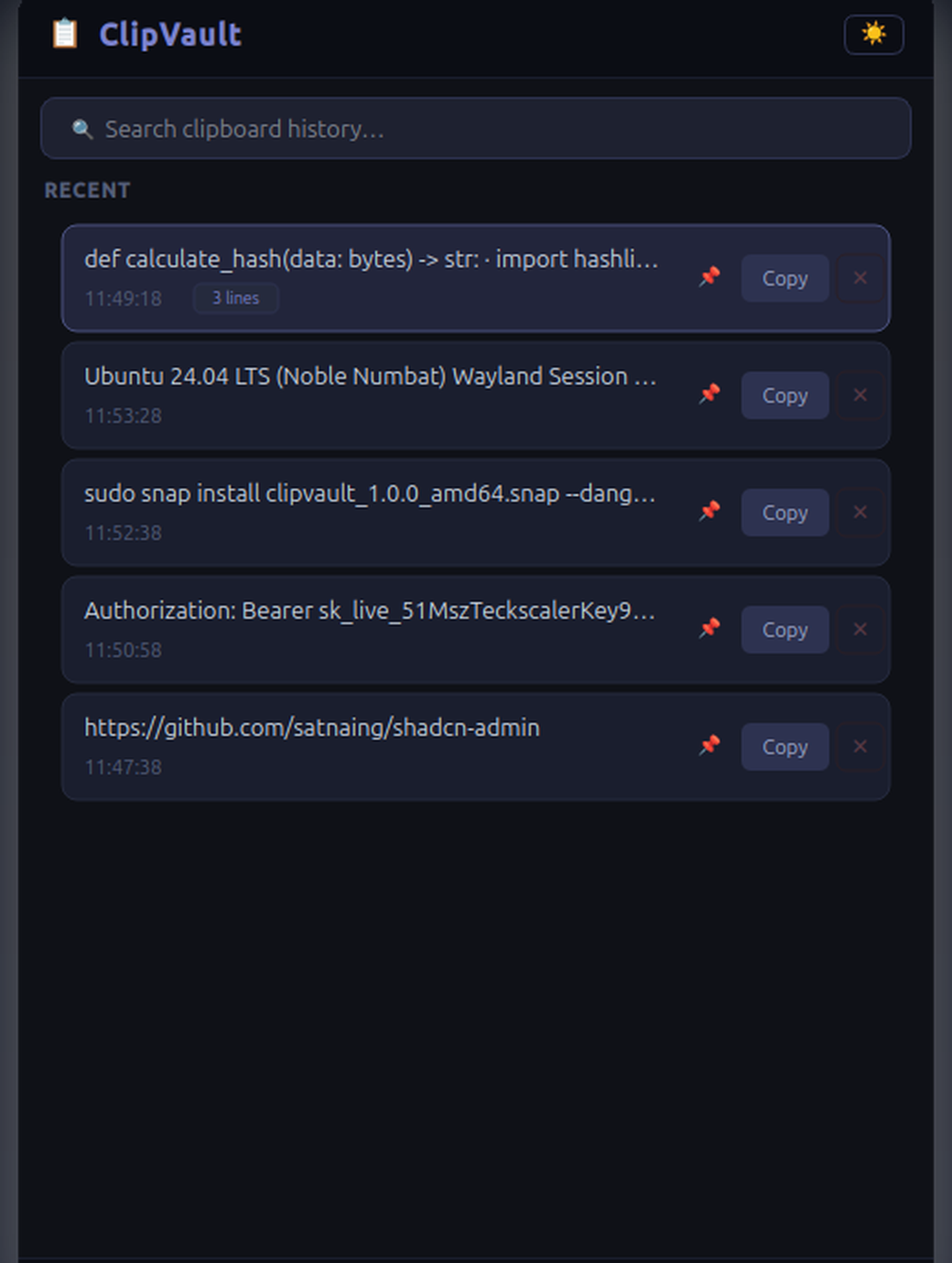
ClipVault is an MIT-licensed Python and PyQt6 tool backed by SQLite WAL. Rather than trusting GNOME extensions or leaving KeePassXC secrets in plain logs, it inspects clipboard targets before reading text. Any secret matching eight common password-manager flags gets dropped right away.
Under Wayland, a background worker clears GTK startup tokens (DESKTOP_STARTUP_ID and XDG_ACTIVATION_TOKEN) so Dash to Dock never blinks. Its list view renders fixed-height cards so search stays snappy. Read our full ClipVault vs. CopyQ Wayland review for step-by-step migration help.
- Install command:
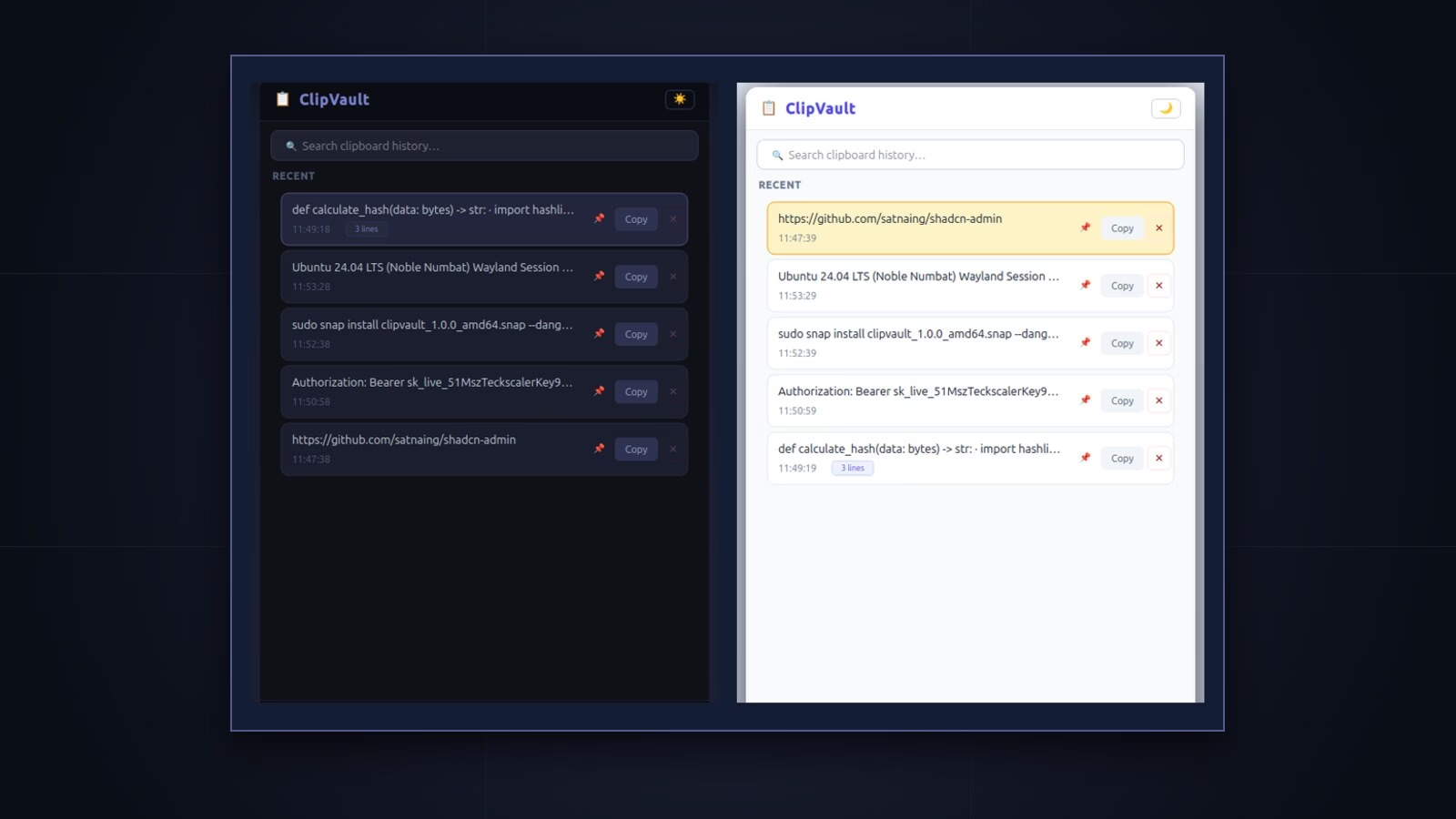
sudo snap install clipvault-teckscaler --candidate(Snapcraft listing). - Top strengths: Zero-config password blocklist, fast substring search, dark and light themes, and strict
core24Snap safety. - Honest limits: UTF-8 text only (up to 1 MB, no screenshots), 100 unpinned item cap, and Snap packaging only for now.
2. CopyQ (Best for Scripts, Tabs, and Cross-Platform Sync)
With 12,628 stars on GitHub, CopyQ (GPL-3.0) packs the deepest feature set. It stores plain text, HTML, images, and raw binary clips across custom tabs, and triggers JavaScript hooks on copy events.
- Watch package limits: CopyQ 14.0.0 adds a GNOME Shell add-on for Wayland, though its Known Issues page warns it cannot run inside Flatpak or AppImage sandboxes.
- Manual secret setup: Follow the CopyQ FAQ to place an Ignore rule for
x-kde-passwordManagerHintat the top of your commands.
3. Copyous (Best Modern GNOME Shell Extension)
Want your clipboard menu built straight into the GNOME top bar? Copyous (GPL-3.0, 653 stars) uses libgda and GSound to display crisp cards for code, text, images, files, and hex colors with custom tags.
- Top strength: Native Shell look with rich image and color card views.
- Honest limit: Locked to GNOME Shell releases and runs inside the Shell process rather than an isolated sandbox.
4. GPaste (Best for Native GTK 4 and Disk Encryption)
GPaste (BSD-2-Clause, 965 stars) brings a native GTK 4 app, Shell integration, and the gpaste-client CLI. Unlike most rivals, GPaste offers optional history encryption via libsodium.
- Top strength: Optional
libsodiumencryption at rest, plus images, URIs, and rich text. - Honest limit: GNOME-focused stack with manual password tagging instead of ClipVault’s automatic MIME filter.
5. cliphist (Best for Hyprland and Sway Tiling WMs)
On wlroots desktops, cliphist (GPL-3.0, 1,576 stars) keeps things tiny. Built in Go, it pipes output from wl-clipboard (wl-paste --watch cliphist store) into quick menus like rofi, wofi, or fuzzel.
- Top strength: Byte-exact text and image capture at minimal RAM cost on Hyprland and Sway.
- Honest limit: Stock GNOME skips
wlr-data-control, andcliphistlacks both a GUI window and built-in password filtering.
6. Xfce4 Clipman (Best for Xfce Desktops)
Running Xfce instead of GNOME Wayland? Look at xfce4-clipman-plugin (GPL-2.0). It links into the Xfce panel via xfconf, adding history lookup, QR codes, and regex triggers.
2. Why You Should Skip Pano and Diodon
Always check upstream GitHub status before adding a clipboard daemon to autostart. Two famous names are no longer safe defaults in 2026:
- Pano (
gnome-shell-pano): With 1,355 stars, Pano was a top GNOME hit for years. Yet the official Pano README now states it is unmaintained after its author switched to Hyprland, and points users to Copyous instead. - Diodon: Still listed in older Ubuntu repos, Diodon’s README marks the project in “Low Maintenance Mode” for security and packaging fixes only.
3. Side-by-Side Feature and Privacy Matrix
| Tool | Desktop Target | Images & Media | Password Checks | 2026 Status |
|---|---|---|---|---|
| ClipVault | Ubuntu, GNOME, X11. | Text only, up to 1 MB. | On by default (8 MIME tags). | Active |
| CopyQ | Linux, macOS, Windows. | Text, HTML, images, binary. | Manual command rule setup. | Active |
| Copyous | GNOME Shell add-on. | Text, code, images, files. | App exclusion rules. | Active |
| GPaste | GNOME and GTK 4. | Text, rich text, images, URIs. | Optional libsodium + password tag. | Active |
| cliphist | Hyprland, Sway, wlroots. | Text and raw images. | None out of the box. | Active |
| Pano | GNOME Shell (old). | Rich media cards. | App exclusion list. | Retired |
4. Which One Fits Your Setup?
- Ubuntu GNOME daily coding and secret hygiene: Pick ClipVault. You get instant text lookup, strict Snap confinement, and KeePassXC filtering with zero setup.
- Screenshots, multi-tabs, and JavaScript rules: Use CopyQ via your distro package (not Flatpak if you want the GNOME add-on) and set up the KeePassXC rule right away.
- Inside the GNOME top bar: Try Copyous for rich cards, or GPaste if
libsodiumencryption at rest is your top goal. - On Sway or Hyprland: Wire cliphist into
wl-clipboardand launch it fromrofiorwofi.
Frequently Asked Questions
Why do many clipboard managers fail on GNOME Wayland?
Wayland stops hidden windows from snooping on live copies. Sway and Hyprland fix that via wlr-data-control, while stock GNOME skips it. Apps must use Shell add-ons, focus checks, or XWayland polling as noted in ArchWiki Clipboard.
Which Linux clipboard tool skips KeePassXC and Bitwarden by default?
ClipVault checks eight password-manager MIME tags before it reads any text. Flagged KeePassXC, KWallet, Bitwarden, and 1Password secrets vanish before disk write. CopyQ supports similar filtering once you build a manual rule.
Is GNOME Pano still supported in 2026?
No. Pano’s GitHub page states it is no longer maintained after its creator moved to Hyprland, and points GNOME users to Copyous.
What is the lightest tool for Hyprland?
cliphist plus wl-clipboard and rofi or wofi stays minimal on Hyprland and Sway thanks to native wlr-data-control hooks.