
Table of Contents
Scale your operations and eliminate bottlenecks with the right ERP system. Here’s how to navigate the 2026 landscape.
In the current fast-paced business environment, small businesses must remain efficient, scalable, and cost-effective to stay competitive. Sound familiar? For many early-stage companies, basic accounting software or a fragmented mix of spreadsheets serves as the foundation. However, as headcount grows and reporting demands increase, companies eventually cross a “structural threshold” where these manual workarounds become a bottleneck to growth.
Transitioning to a modern ERP software for small business is no longer just an enterprise luxury; it is a necessity for achieving real-time visibility and operational efficiency. In fact, research indicates that SMEs often see an 11% reduction in operational costs after successful ERP implementation. That’s because a unified system eliminates data silos and manual re-entry. In this guide, we’ll explore the leading solutions for 2026 and provide a roadmap for your digital transformation.
When Should a Small Business Move to ERP?
Deciding when to move to an ERP system is less about revenue and more about coordination complexity. If your business operates across multiple entities or requires complex inventory management, you may reach this point earlier than others. That’s possible thanks to the granular control ERP offers over diverse business processes.
Seven Red Flags to Know That You’ve Outgrown
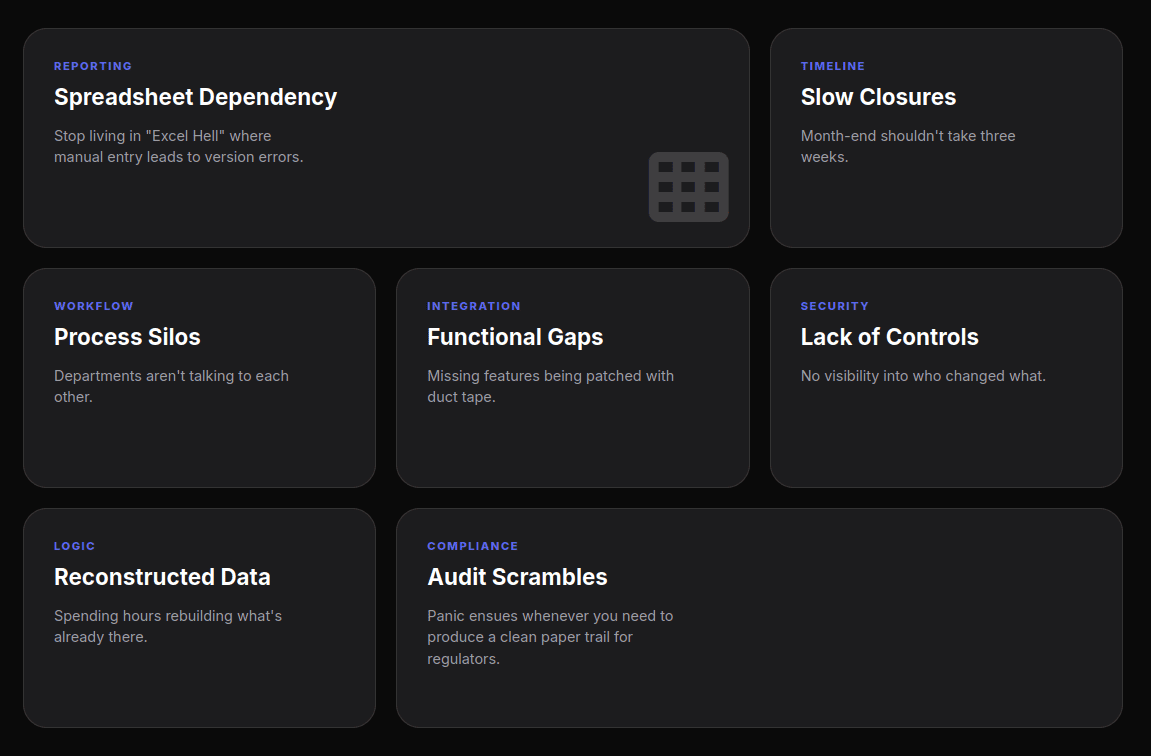
Small business owners should watch for these common indicators that their current systems are failing:
- Spreadsheet Dependency: Your month-end financials require exporting data to Excel for manual manipulation.
- Slow Closures: The month-end close consistently exceeds 10–15 business days, leaving leadership with stale data.
- Process Silos: Core workflows like approvals live in email threads or shared drives rather than a unified system.
- Functional Gaps: You are using multiple “bolt-on” tools for billing, expenses, and inventory that don’t speak to each other.
- Lack of Controls: Internal controls rely on trust rather than system permissions and logic.
- Reconstructed Data: Leadership decisions are delayed because data must be reconstructed from multiple sources.
- Audit Scrambles: Preparing for an audit is a manual, high-stress assembly process.
The ROI of a Unified “Single Source of Truth”
A unified ERP platform integrates accounting with operational data, offering a “single source of truth.” By 2026, early adopters of AI-driven ERP features are experiencing 20% lower operational costs and 6% higher net revenue than those using manual processes. Partnering with a specialized ERP development company can help you unlock these efficiencies sooner.
Critical Decision Factors: Cloud, Open-Source, and Industry Fit
Cloud vs. On-Premise: Why SMEs Prefer SaaS
For the majority of small businesses in 2026, cloud-based ERP is the recommended deployment model. Cloud solutions offer lower upfront costs, as they eliminate the need for local servers and internal IT departments to maintain hardware. Furthermore, cloud vendors provide automatic updates, built-in security, and 24/7 remote access from any device. Switching to cloud ERP can often reduce IT and operational costs by up to 40%.
The Rise of Open-Source ERP for Startups
Open-source ERP systems are gaining traction among small businesses in 2026 due to their affordability and flexibility. Unlike proprietary software, open-source options typically have lower licensing fees and allow for deeper customization without vendor lock-in. This is ideal for startups that need to pivot quickly.
The Top 10 ERP Software Solutions for Small Businesses
Based on feature completeness, cost for under 50 employees, and industry-specific capabilities, here are the top 10 solutions for 2026:
1. NetSuite ERP
NetSuite is widely considered the most used cloud ERP for small businesses. It provides a comprehensive suite covering finance, CRM, and eCommerce in one platform, making it a “heavyweight” that still feels accessible to smaller teams.
Thanks to its real-time analytics and role-based dashboards, NetSuite turns complex data into actionable insights via its built-in business intelligence layer. It’s often the first choice for fast-growing startups and mid-market firms seeking global operations support.
- Pricing: Typically around $125 per user/month + base platform fees from ~$999/month.
2. Microsoft Dynamics 365 Business Central
Formerly known as Dynamics NAV, Business Central is an excellent fit for businesses already embedded in the Microsoft ecosystem. If you spend your day in Excel and Outlook, you’ll feel right at home here.
Given its out-of-the-box integration with Excel, Outlook, and Teams, Business Central allows you to manage entire sales cycles without leaving your inbox. Plus, with new AI capabilities via Copilot, generating reports is faster than ever.
- Pricing: $80 – $110 per user/month.
3. Odoo
Odoo is a major market disruptor known for its modular, app-based approach. Think of it as an “App Store” for your business, you only install what you need, when you need it.
The secret to its relevance is access to over 30,000 integrations. Whether you need CRM, HR, or custom manufacturing, Odoo has a module for it. It’s the perfect choice for tech-savvy small businesses seeking a budget-friendly, highly customizable solution.
- Pricing: $31.10 per user/month (Standard plan).
4. ERPNext
ERPNext is a 100% open-source solution designed for teams that “move fast and figure things out as they go.” It’s lean, efficient, and avoids the “feature bloat” common in legacy systems.
Thanks to its built-in website builder and lead tracking, ERPNext serves as a full digital home for your startup. It’s especially useful for teams looking for a “no-bloat” system with predictable, hosting-based costs.
- Pricing: Based on hosting ($14 – $50/month).
5. Cetec ERP
Cetec ERP focuses on small manufacturers, providing enterprise-level tools at a disruptively low price. It handles the “dirty work” of the shop floor without requiring a massive IT budget.
Given its built-in quality management (QMS) and mobile warehousing, Cetec is ideal for small manufacturers needing full shop floor control. In fact, it’s one of the few systems that offers manufacturing quoting and QMS in a single, low-cost package.
- Pricing: $40 – $50 per user/month (Zero implementation fees).
6. Global Shop Solutions
A family-owned firm since 1976, Global Shop Solutions is renowned for its personalized support and high implementation success rates. They don’t just sell software; they build relationships.
The strength of this system is its focus on real-time inventory accuracy and shop management. It’s ideal for manufacturing teams that prefer a dedicated vendor relationship and a robust training center to ensure their staff stays sharp.
- Pricing: Implementation typically starts at $20,000.
7. Sage Intacct
Sage Intacct was designed by financial professionals and is the preferred provider of the AICPA. If your CFO is leads the ERP selection process, this will likely be their top choice.
Thanks to its real-time financial dashboards and smooth integration with Salesforce, Intacct allows for high-level financial automation. It’s perfect for businesses prioritizing robust audit trails and complex financial reporting.
- Pricing: Custom quotes; implementation $15k – $30k.
8. JobBOSS²
JobBOSS² is a fusion of E2 Shop and JobBOSS, crafted specifically for the unique needs of custom manufacturing. It understands that no two jobs are exactly alike.
Given its attribute of tracking individual job profitability, JobBOSS² ensures you don’t lose money on complex orders. Using barcoding to prevent shop-floor errors is just one way it keeps operations lean.
- Pricing: ~$200 per user/month.
9. Epicor Kinetic
Kinetic uses predictive analytics and AI-driven “cognitive” ERP features to optimize operations. It’s built for manufacturers who want to stay on the cutting edge of Industry 4.0.
Thanks to its industry-specific toolsets for electronics and industrial machinery, Kinetic provides insights that generic ERPs miss. It’s the best fit for manufacturers looking for advanced predictive analytics and lean manufacturing support.
- Pricing: ~$125 per user/month.
10. Fishbowl
Fishbowl offers comprehensive inventory management that integrates directly with QuickBooks. It’s the perfect “bridge” for companies not quite ready to leave QuickBooks but desperate for better inventory control.
The secret to its success is multi-location inventory tracking and advanced manufacturing management tools. It allows you to keep the accounting interface you know while adding the production power you need.
- Pricing: $329/user/month (Starting first-year ~$3,200).
Planning Your Implementation
Budgeting Beyond the Sticker Price
Implementing an ERP is a significant investment, often costing 1–3% of annual revenue. Business leaders must budget for more than just software subscriptions. However, don’t let the “sticker price” scare you, the long-term ROI usually far outweighs the initial spend.
Major cost components include:
- Implementation Services: These typically range from 100% to 200% of the initial software license fees.
- Customization: Heavy custom development can add 50–200% to the base software cost.
- Data Migration: Underestimating the effort required to clean and move legacy data is a leading cause of delays.
Training and Change Management
Even the best software will fail without user adoption. Successful SMEs allocate roughly 10–20% of their total project budget to training and change management. This includes educating staff on the benefits of the new system and providing hands-on training to minimize resistance.
Selecting the Right Partner for Your Digital Transformation
Choosing the right ERP software for small business in 2026 is about “right-sizing” the solution to your specific industry and technical capabilities. The “cheapest” solution is not always the best if it requires extensive customization or fails to scale as you grow.
Before signing a contract, document your essential features today and your expected growth for the next 3–5 years. By taking the time to carefully evaluate these factors, you’ll set a solid foundation for your project. Ready to start your journey? Download a comprehensive ERP selection checklist to begin building your business case today.
FAQs
Is an ERP too complex for a team of 10 people?
Not necessarily. While legacy ERPs were cumbersome, modern modular systems like Odoo or ERPNext are designed to scale down. If your 10-person team handles complex inventory or multi-channel sales, an ERP can save dozens of hours a week.
How long does a typical implementation take?
For most small businesses, the timeline ranges from 3 to 6 months. However, simpler cloud integrations can sometimes be completed in as little as 4-6 weeks if data migration is straightforward.
What is the most critical mistake to avoid?
“Paving the cow path.” Don’t just digitize your current inefficient manual processes into the new system. Use the implementation as an opportunity to refine and optimize your workflows.